---
title: "(⁰⊖⁰)の顔文字辞書"
category: ProTip
tags:
created_at: '2019-01-31T11:54:46+09:00'
updated_at: '2022-05-30T15:53:07+09:00'
published: true
number: 311
---
普段使っている(⁰⊖⁰)の顔文字辞書をご紹介します。
お使いのIMEで辞書をインポートしていただくことで、(⁰⊖⁰)や"(\\( ⁰⊖⁰)/)"といった顔文字がすばやく入力できて便利です。
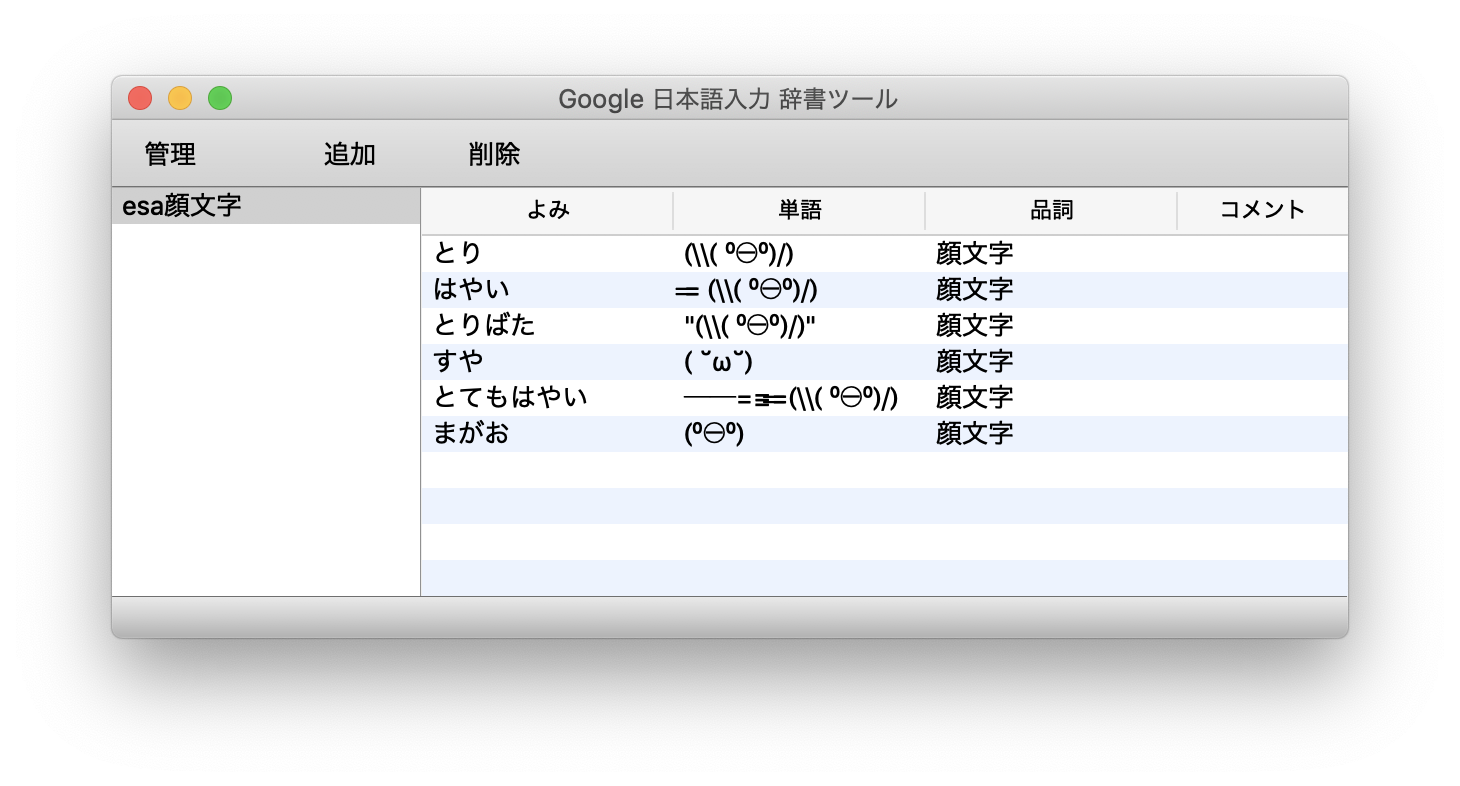 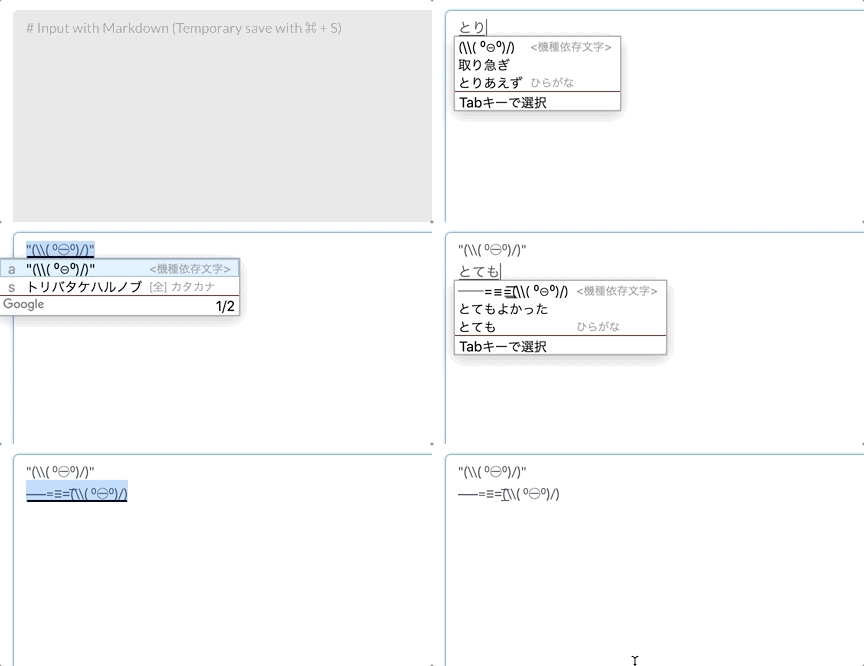
- 辞書のダウンロードはこちら: [esa_kaomoji.txt (257 B)](https://esa-storage-tokyo.s3-ap-northeast-1.amazonaws.com/uploads/production/attachments/105/2019/01/31/1/2398dcc6-f6e9-40f7-8cbe-533d52c315b5.txt)

- 辞書のダウンロードはこちら: [esa_kaomoji.txt (257 B)](https://esa-storage-tokyo.s3-ap-northeast-1.amazonaws.com/uploads/production/attachments/105/2019/01/31/1/2398dcc6-f6e9-40f7-8cbe-533d52c315b5.txt)
インポート方法(Google 日本語入力の例)
- メニューバーの「あ」をクリックして辞書ツールを選択
- 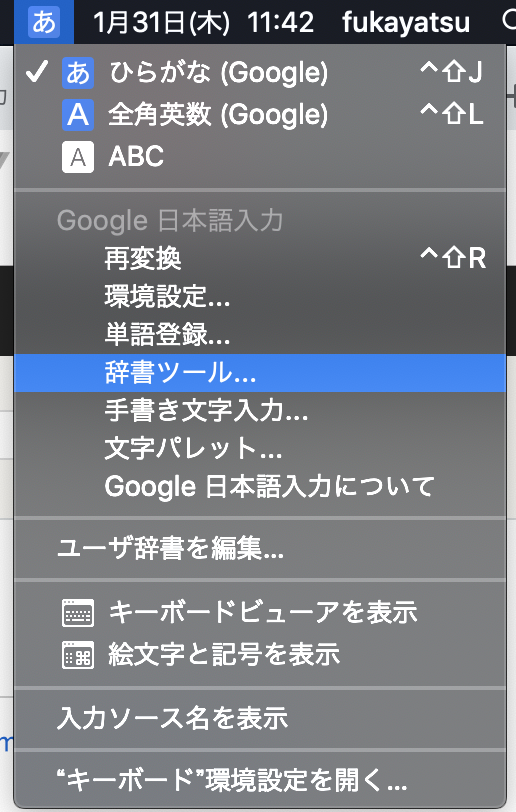 - インポート先の辞書を右クリックして「この辞書にインポート」=> `esa_kaomoji.txt` を選択
-
- インポート先の辞書を右クリックして「この辞書にインポート」=> `esa_kaomoji.txt` を選択
- 
関連: [#63: ProTip/いろいろな(⁰⊖⁰)](/posts/63)
# 所感
とても便利ですね (⁰⊖⁰)
---
Enjoy "(\\( ⁰⊖⁰)/)"
https://esa.io