最終更新: 2026-07-08 17:15
Revisions rev3

- > [!TIP]
> - Devion の契約プランによってはご利用いただけないことがあります。- > - Devin の契約プランによってはご利用いただけないことがあります。
- > - 事前にチームのOwnerによる、__SETTINGS__ > __APIアクセス設定__ > __リモートMCPサーバー__ の許可設定が必要です。
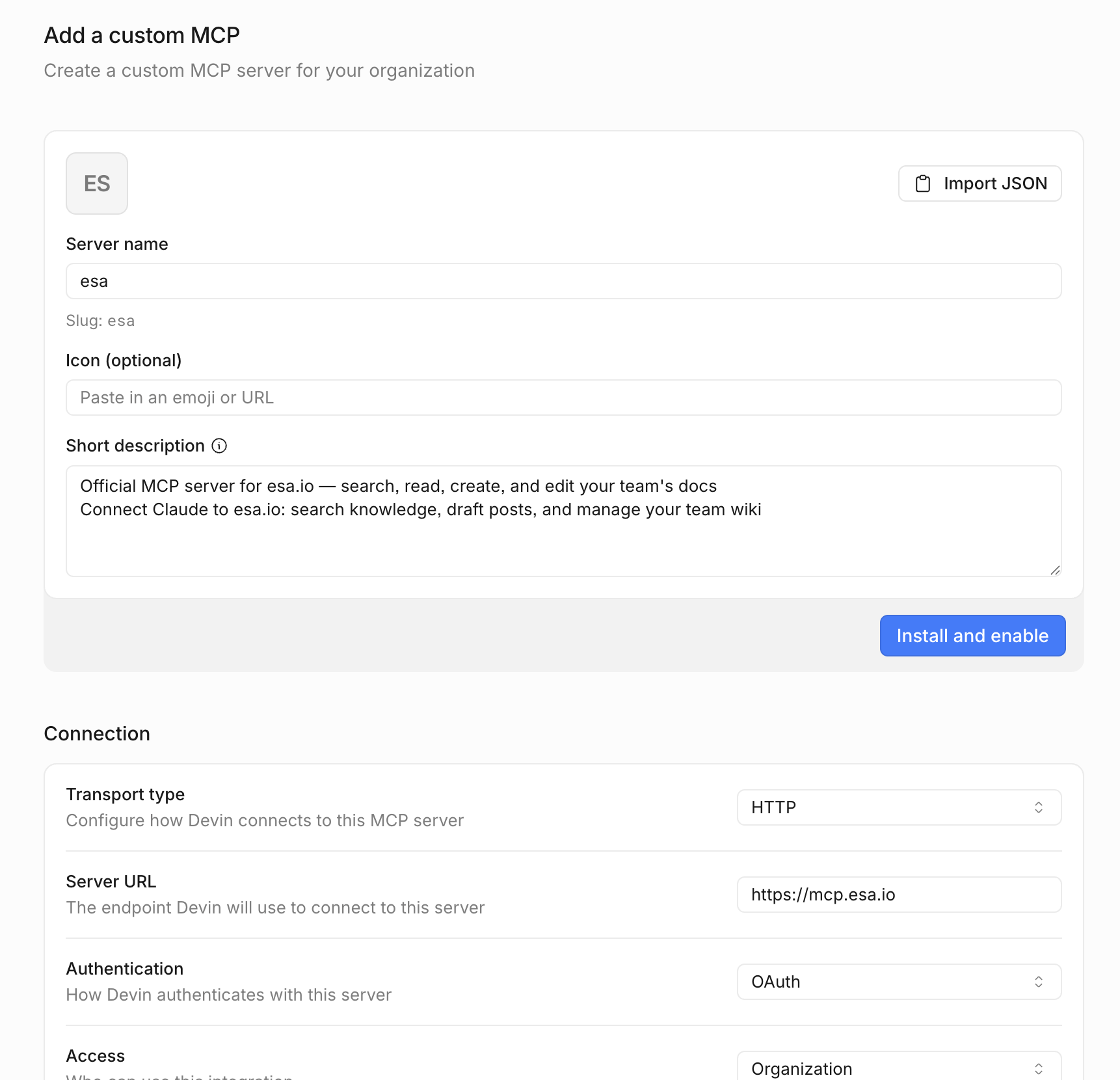
- __My team__ > __Connections__ > __Add a custom MCP__
- からリモートMCPサーバーを設定します。
- Server name: __esa__
- Short description: 例: __Official MCP server for esa.io — search, read, create, and edit your team's docs.Connect Claude to esa.io: search knowledge, draft posts, and manage your team wiki.__
- Transport type: __http__
- Server URL: `https://mcp.esa.io`
- Authentication: __OAuth__
- <img width="861" alt="image.png (214.3 kB)" src="https://img.esa.io/uploads/production/attachments/105/2026/07/03/11/c5f83bdf-1f87-4a34-a5ec-d71751b9e344.png">
- <img width="583" alt="image.png (126.9 kB)" src="https://img.esa.io/uploads/production/attachments/105/2026/07/03/11/36214e59-c953-41eb-a71d-3b3fcae641c1.png">
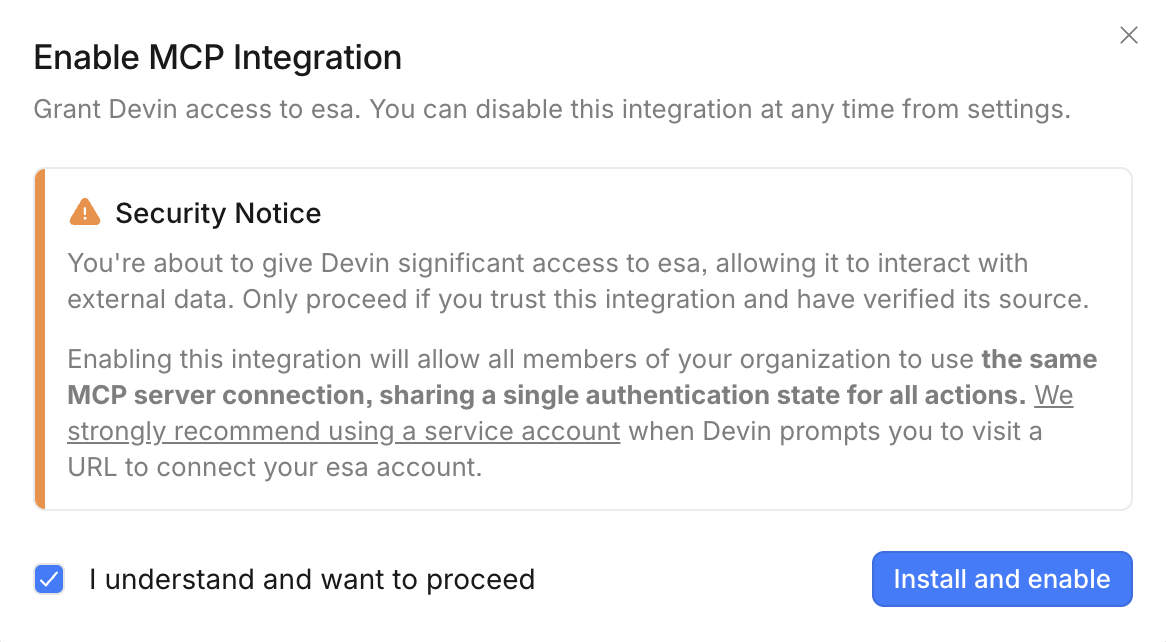
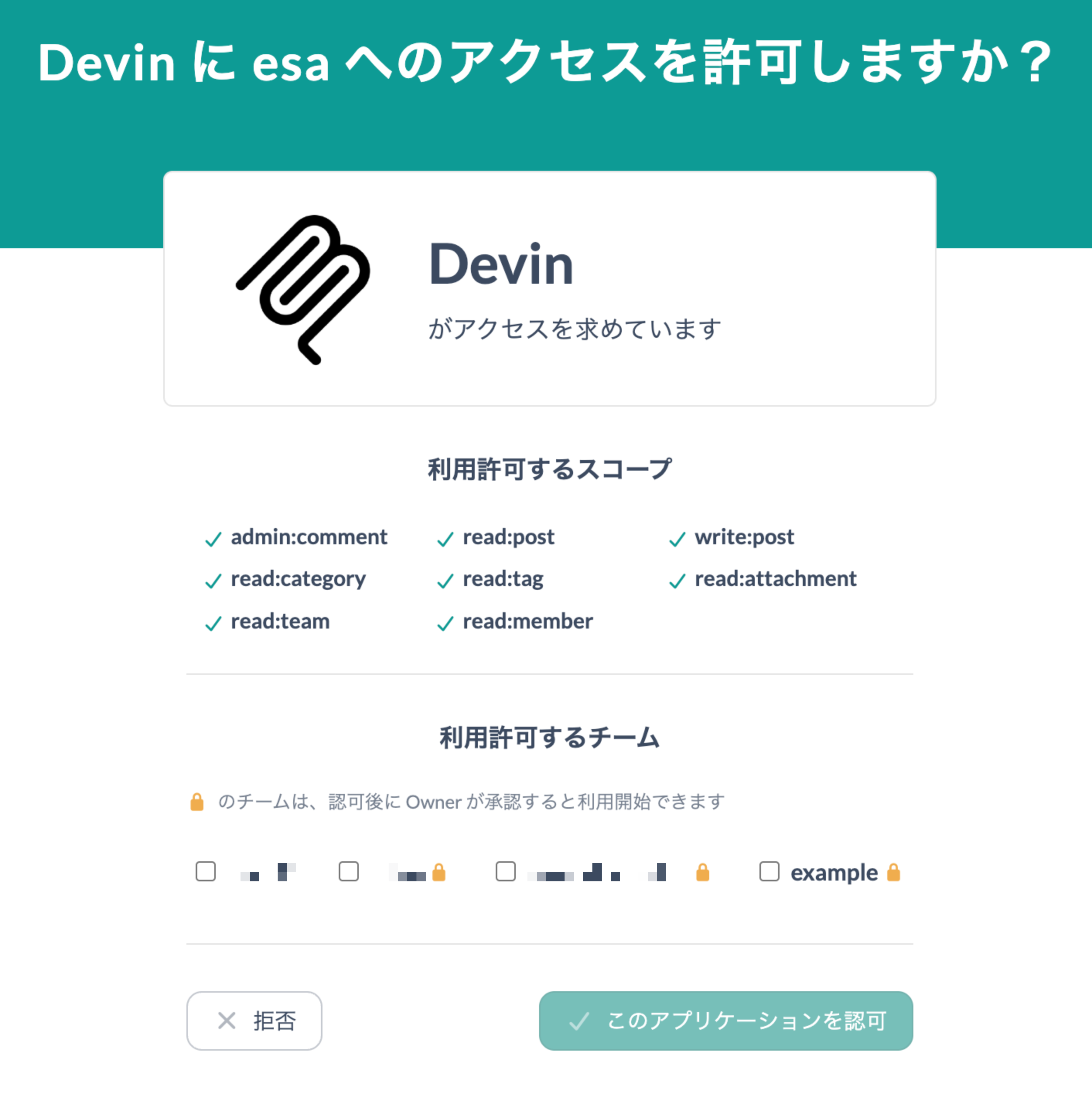
- __Install and enable__ で追加すると、esaへ移動します。
- <img width="706" alt="image.png (190.2 kB)" src="https://img.esa.io/uploads/production/attachments/105/2026/07/08/11/77f04388-2c60-4062-9ab9-18af40a3ccb4.png">
Tip
- Devion の契約プランによってはご利用いただけないことがあります。
- 事前にチームのOwnerによる、SETTINGS > APIアクセス設定 > リモートMCPサーバー の許可設定が必要です。
Tip
- Devin の契約プランによってはご利用いただけないことがあります。
- 事前にチームのOwnerによる、SETTINGS > APIアクセス設定 > リモートMCPサーバー の許可設定が必要です。
My team > Connections > Add a custom MCP
からリモートMCPサーバーを設定します。
Server name: esa
Short description: 例: Official MCP server for esa.io — search, read, create, and edit your team's docs.Connect Claude to esa.io: search knowledge, draft posts, and manage your team wiki.
Transport type: http
Server URL: https://mcp.esa.io
Authentication: OAuth
Install and enable で追加すると、esaへ移動します。
> [!TIP]
> - Devin の契約プランによってはご利用いただけないことがあります。
> - 事前にチームのOwnerによる、__SETTINGS__ > __APIアクセス設定__ > __リモートMCPサーバー__ の許可設定が必要です。

__My team__ > __Connections__ > __Add a custom MCP__
からリモートMCPサーバーを設定します。

Server name: __esa__
Short description: 例: __Official MCP server for esa.io — search, read, create, and edit your team's docs.Connect Claude to esa.io: search knowledge, draft posts, and manage your team wiki.__
Transport type: __http__
Server URL: `https://mcp.esa.io`
Authentication: __OAuth__

<img width="861" alt="image.png (214.3 kB)" src="https://img.esa.io/uploads/production/attachments/105/2026/07/03/11/c5f83bdf-1f87-4a34-a5ec-d71751b9e344.png">

<img width="583" alt="image.png (126.9 kB)" src="https://img.esa.io/uploads/production/attachments/105/2026/07/03/11/36214e59-c953-41eb-a71d-3b3fcae641c1.png">

__Install and enable__ で追加すると、esaへ移動します。

<img width="706" alt="image.png (190.2 kB)" src="https://img.esa.io/uploads/production/attachments/105/2026/07/08/11/77f04388-2c60-4062-9ab9-18af40a3ccb4.png">
Tip
- Devin の契約プランによってはご利用いただけないことがあります。
- 事前にチームのOwnerによる、SETTINGS > APIアクセス設定 > リモートMCPサーバー の許可設定が必要です。
My team > Connections > Add a custom MCP
からリモートMCPサーバーを設定します。
Server name: esa
Short description: 例: Official MCP server for esa.io — search, read, create, and edit your team's docs.Connect Claude to esa.io: search knowledge, draft posts, and manage your team wiki.
Transport type: http
Server URL: https://mcp.esa.io
Authentication: OAuth
Install and enable で追加すると、esaへ移動します。